Clear Dock: a lightweight Android cleaner for simple storage upkeep
Clear Dock, by shazia bibi, is an Android maintenance utility built to remove junk files and reclaim device storage. The app scans installed storage, detects cache and leftover items, and removes selected entries using a fast scan mode and small installation footprint. Key functions include junk identification, storage optimization tools, and a minimalist interface aimed at one-tap workflows. It targets Android users who want straightforward storage maintenance without complex settings or deep configuration.
What Clear Dock actually does on an Android device
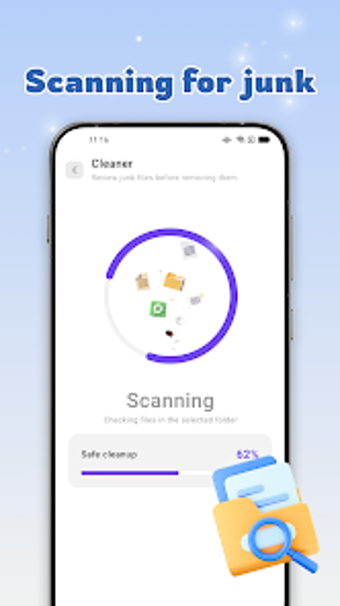
Clear Dock performs targeted cleanup by scanning the device for junk and redundant data, then presenting identified items for removal. The tool combines a quick scan mode with storage optimization utilities and a minimalist presentation. Its APK is approximately 14.50 MB, reflecting the developer's emphasis on a small install size rather than an extensive feature set. The workflow focuses on identifying removable cache, leftover files, and other unnecessary items.
Does the app affect device performance while scanning?
The app is described with fast scanning capabilities and a lightweight footprint, so it is designed to run without major resource demand. That design intent, together with the small APK, indicates the scan process targets low device impact during typical use. Users who need explicit CPU or RAM figures should note those metrics are not specified, but the app's architecture aims to minimise interference with foreground tasks during a routine scan.
Is it safe to run on a daily driver phone?
Clear Dock deletes files identified as junk, so safety depends on reviewing results before confirming removal. Because the tool's purpose is system maintenance through deletion, exercises of caution are appropriate: examine the scan list and avoid removing items you cannot replace. The developer positions the tool for routine storage upkeep rather than forensic recovery, so adopt conservative deletion choices on devices used for important daily work.
Do I need technical knowledge to operate Clear Dock?
The interface is intentionally minimalist and aimed at accessibility for casual users who prefer one-tap operations, so basic mobile skills suffice for standard cleanup tasks. Advanced users seeking granular options or deep file heuristics should expect limited configurability, given the developer's focus on core cleaning functionality. The app therefore fits users who prioritise straightforward maintenance over detailed tuning of scan parameters.
Clear Dock suits casual maintainers but not power users
Clear Dock is a practical choice for Android owners who want an uncomplicated maintenance companion; it prioritises immediacy and a small footprint over advanced controls, which limits its appeal to technicians needing granular options. Run scans during idle periods to avoid interrupting active tasks and review findings before deletion. Recommended.